Give a Sigma agent the ability to answer live questions about a GitHub repository — open issues, recent pull requests, file contents — without writing a single line of custom connector code.
Sigma agents already reason over your workbook data and data models. MCP tools extend that reach outward, letting an agent call any MCP-compliant server through the same tool-calling loop it already uses internally.
The example
In this QuickStart, you'll connect the GitHub MCP server to Sigma, attach it to an agent, and build a chat element that answers natural-language questions about a live GitHub repository — using the sigmacomputing/sigmaquickstarts repo (the source for the QuickStarts you're reading right now) as the example.
Your personal access token proves who you are to GitHub — it doesn't grant any special access to this repository. sigmacomputing/sigmaquickstarts is a public repository, meaning anyone can read it, and that's what actually makes it readable here, not the token. Point this same setup at any other public repository and it works exactly the same way.
Along the way you'll learn how to:
- Create a scoped GitHub personal access token for read-only access
- Add an MCP server as a Sigma MCP tool, with authentication tested and working
- Attach the MCP tool to a Sigma agent and give it instructions on when to use it
- Build a chat element that lets users ask an agent about a live GitHub repository
For more information, see Configure MCP tools
For more information on Sigma's product release strategy, see Sigma product releases
If something doesn't work as expected, here's how to contact Sigma support
Target Audience
This QuickStart is designed for:
- Workbook creators and admins who want a Sigma agent to reach beyond the data warehouse
- Teams already using chat elements who want to extend an agent's toolset
- Anyone evaluating how Sigma's agents fit into a broader MCP-based tool ecosystem
Prerequisites
- Any modern browser is acceptable.
- Access to a Sigma environment with an AI provider configured, and an existing chat element connected to a Sigma agent. If you haven't built one yet, start with Build Conversational AI Apps with Chat Elements and Snowflake Cortex — this QuickStart assumes that foundation and focuses specifically on adding an MCP tool.
- A GitHub account, and the ability to create a personal access token. No GitHub Copilot subscription is required.
- Admin access in Sigma to add MCP tools and API connectors under
Administration. - Some familiarity with Sigma is assumed. Not all basic steps will be shown.

The GitHub MCP server authenticates with a personal access token, so start by creating one. Since sigmacomputing/sigmaquickstarts is a public repository, you can scope the token to public repositories only — no need to grant it access to anything private or writable.
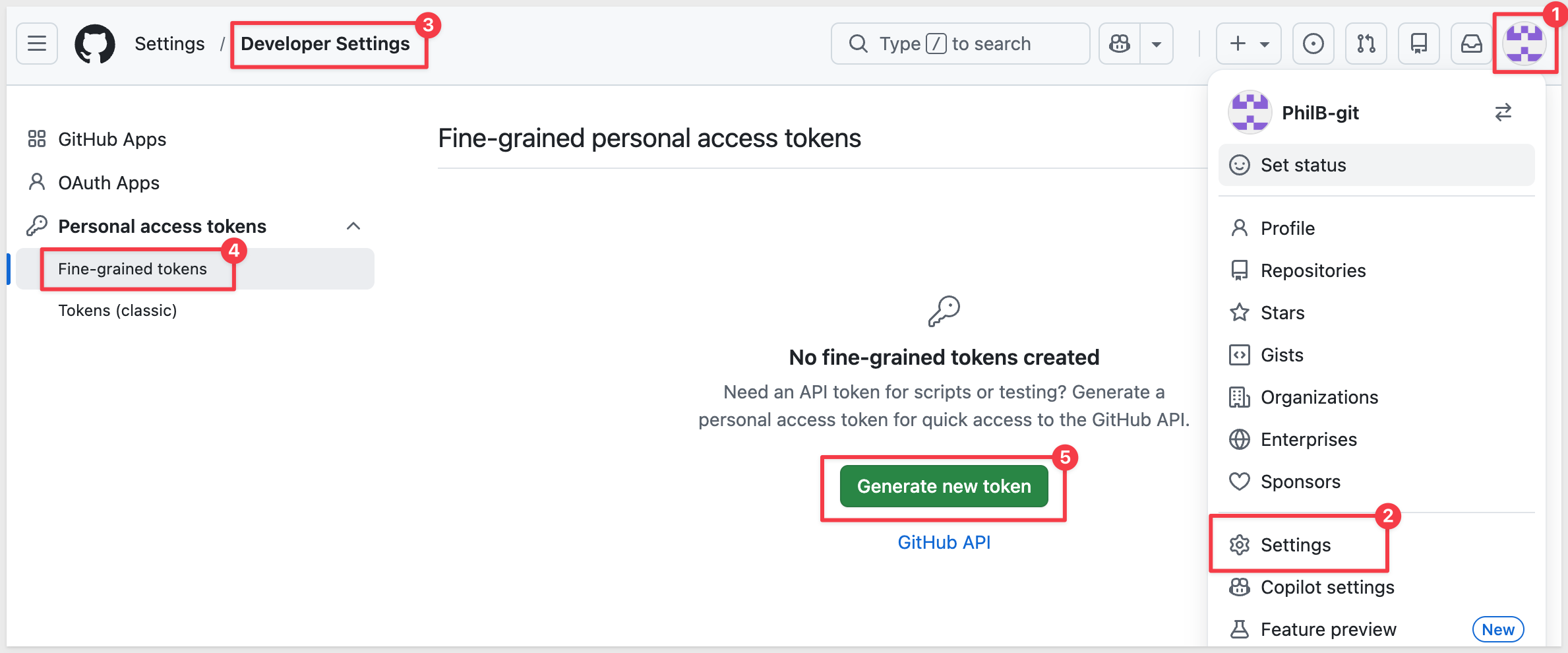
1. In GitHub, go to Settings > Developer settings > Personal access tokens > Fine-grained tokens, then click Generate new token:
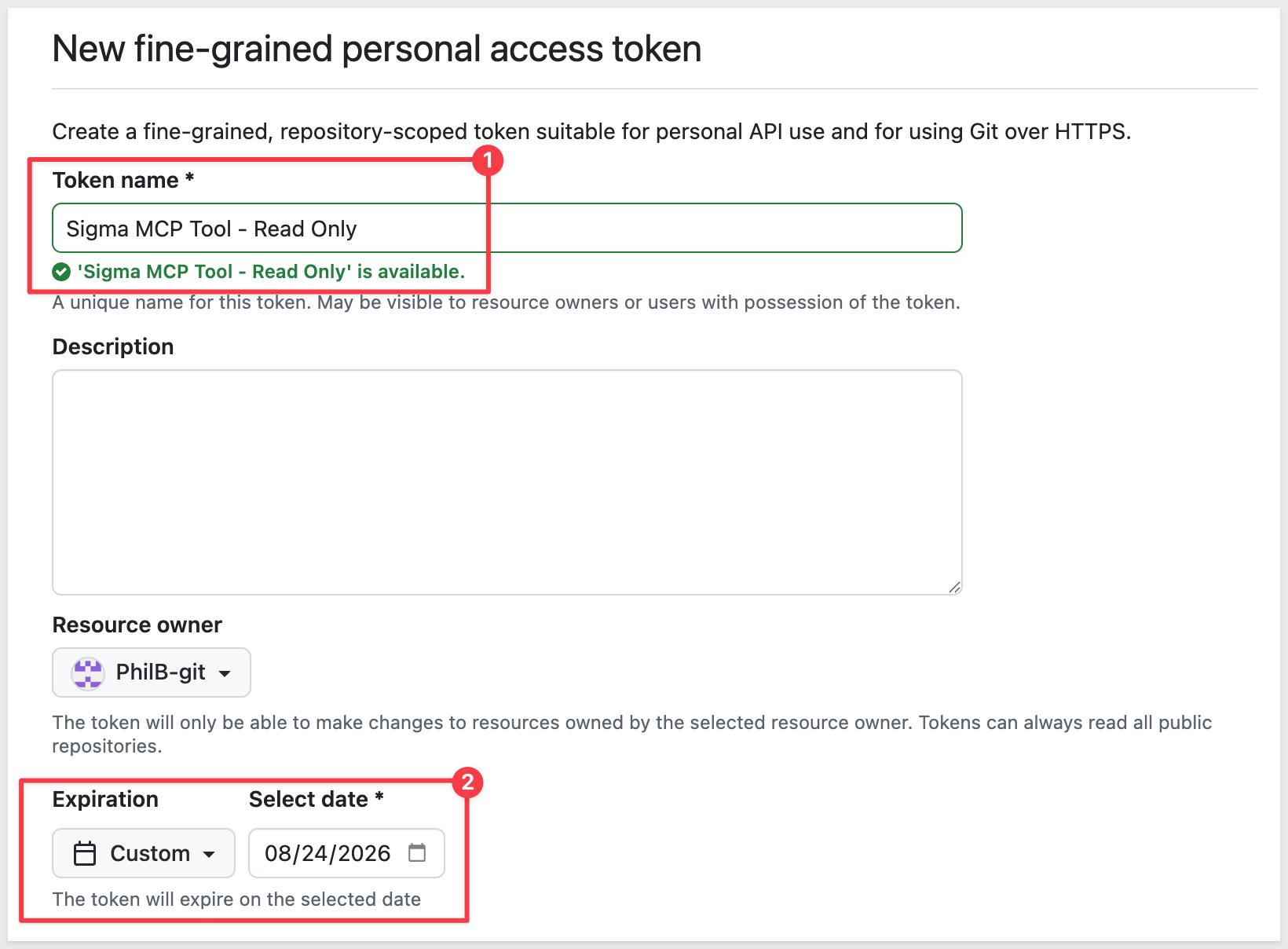
2. Give it a name like Sigma MCP Tool - Read Only and set an expiration:
3. Under Repository access, choose Public repositories. This grants read-only access to sigmacomputing/sigmaquickstarts (and every other public repo) — no repository picker or permissions matrix is needed for this option.
4. Leave Permissions > Account untouched — no account-level permissions are needed for this token.
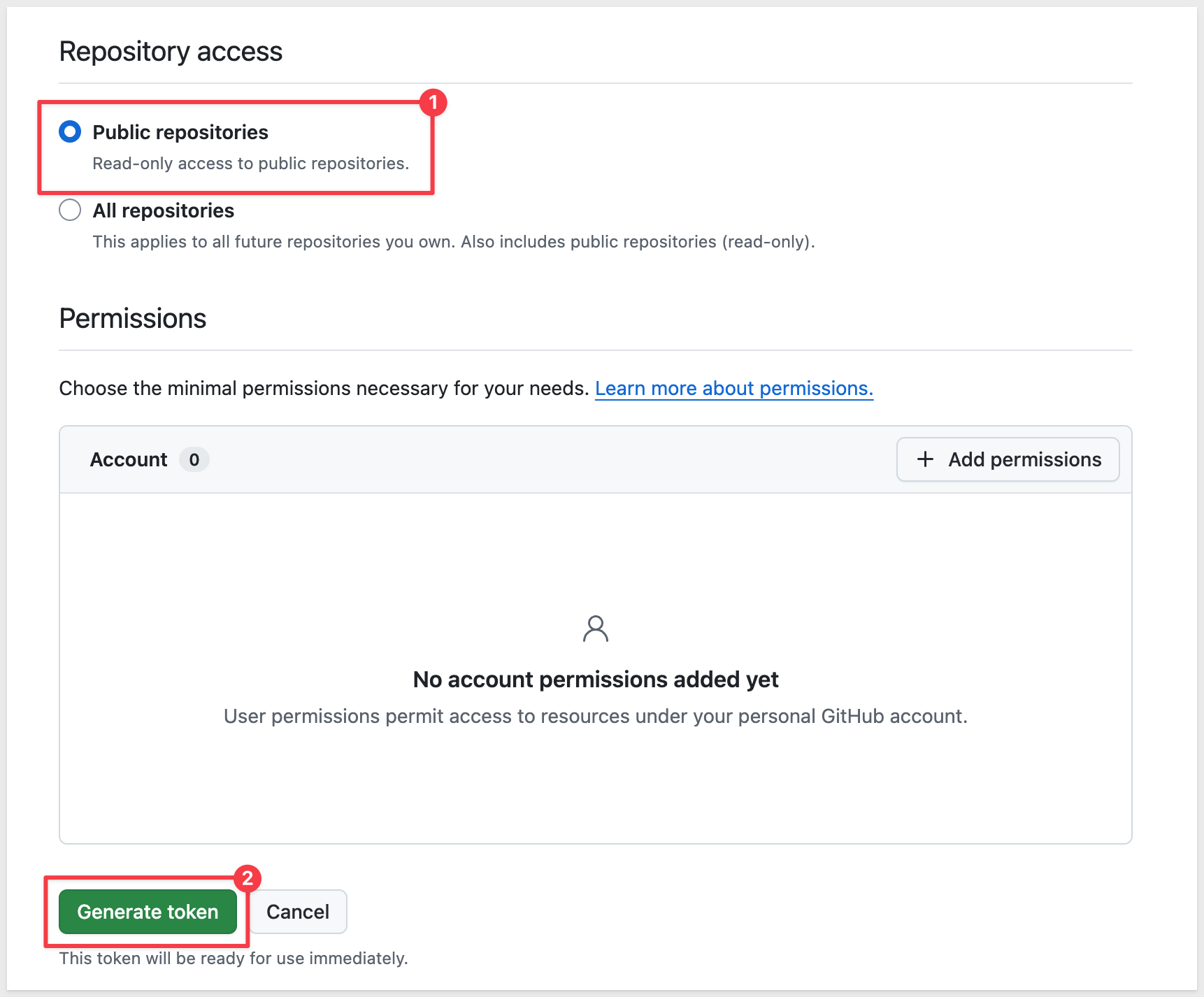
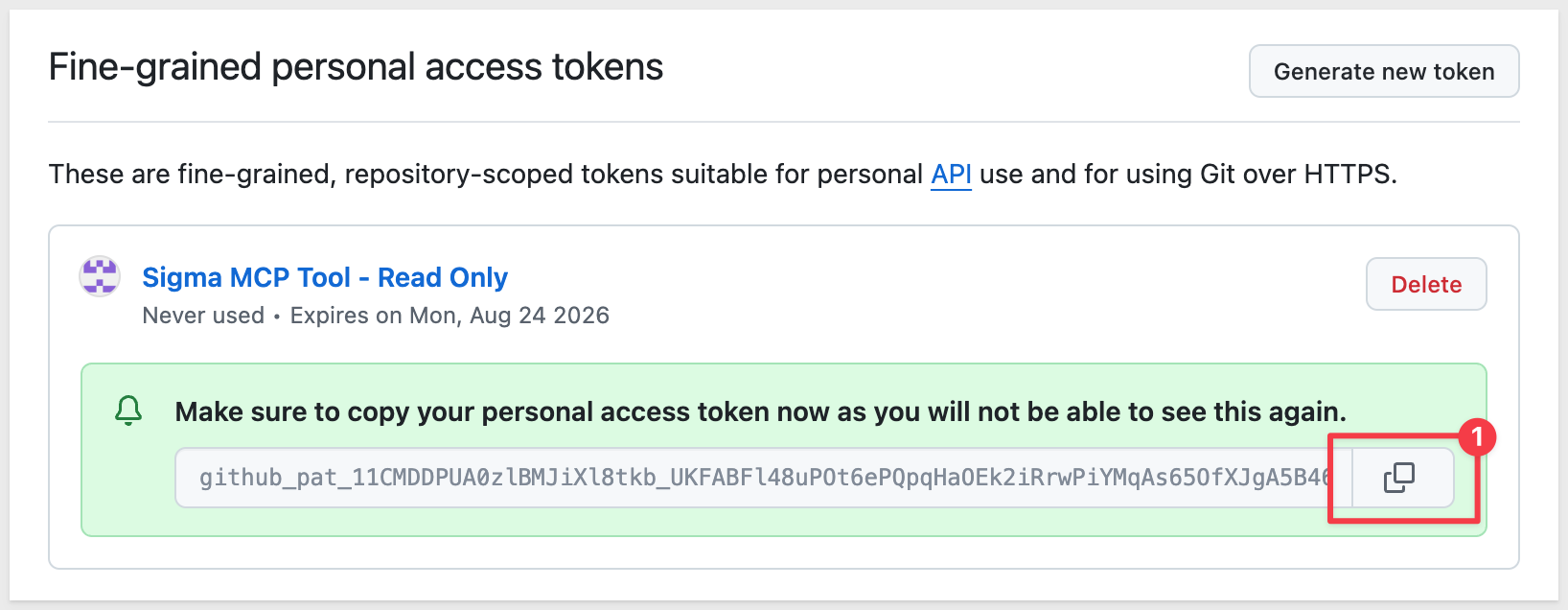
5. Click Generate token and copy it immediately — GitHub only shows it once:
GitHub hosts its own remote MCP server, so there's nothing to install or run yourself — Sigma just needs the URL and a credential. The credential has to exist before you create the MCP tool, since the tool form can only select from credentials that are already there.
Add the GitHub PAT as an API credential
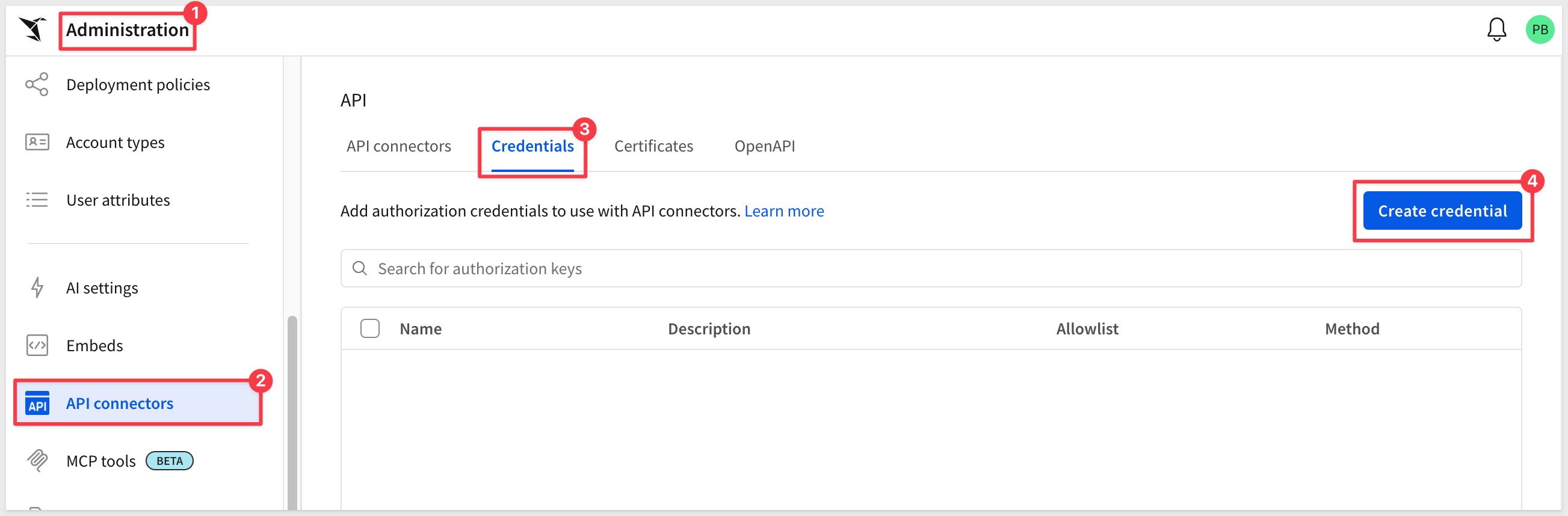
1. Go to Administration > API connectors and add a new credential:
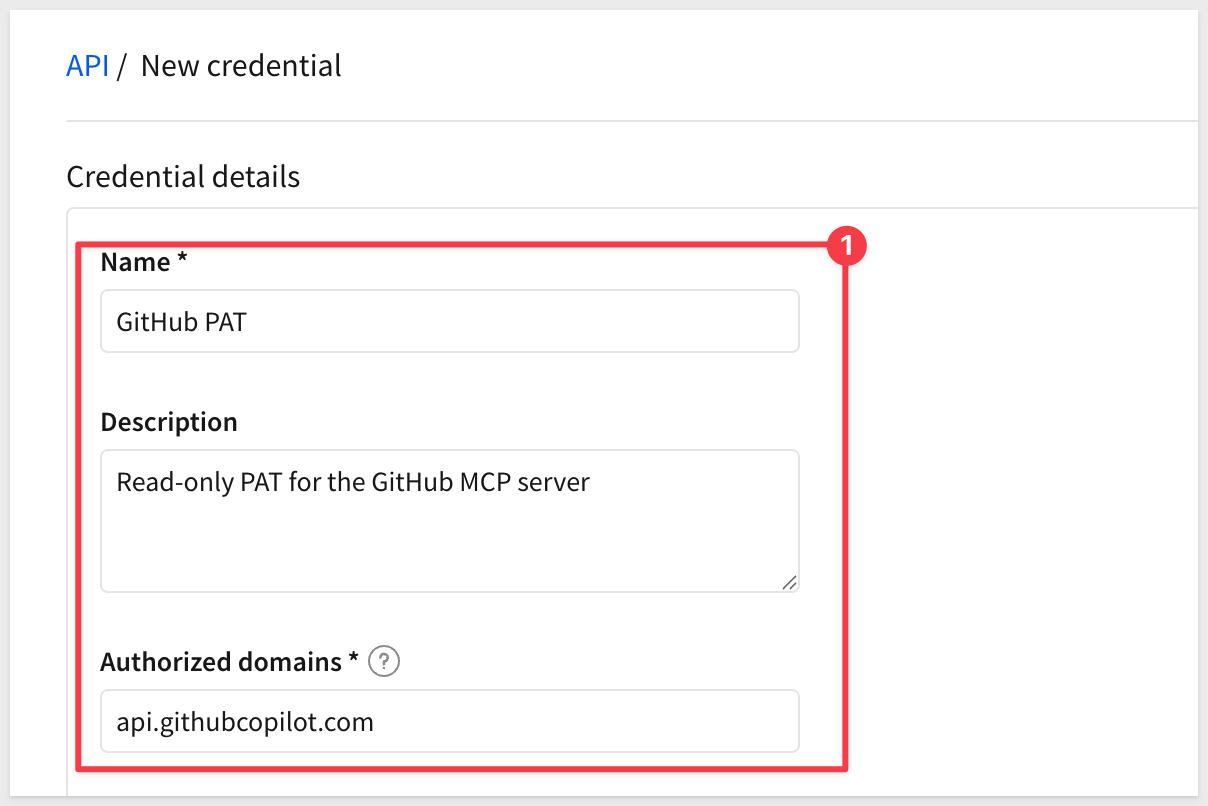
2. Under Name:
GitHub PAT
3. Under Description (optional), enter something like:
Read-only PAT for the GitHub MCP server
4. Under Authorized domains, scope the credential to the GitHub MCP server only, instead of leaving the default wildcard:
api.githubcopilot.com
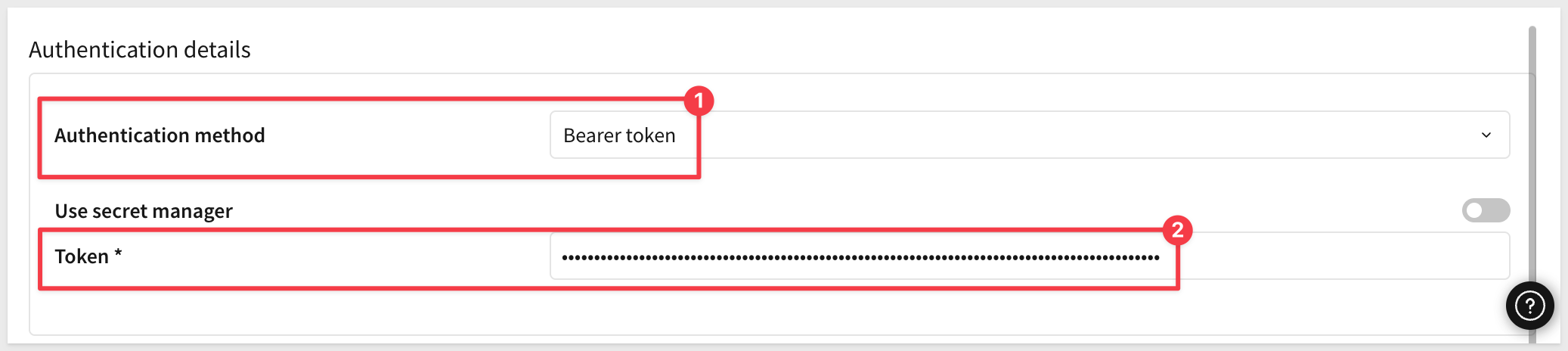
5. Under Authentication method, confirm Bearer token is selected.
6. Leave Use secret manager off, then under Token, paste the personal access token you generated:
7. Click Save.
Create the MCP tool
1. Go to Administration > MCP tools and click Add MCP tool.
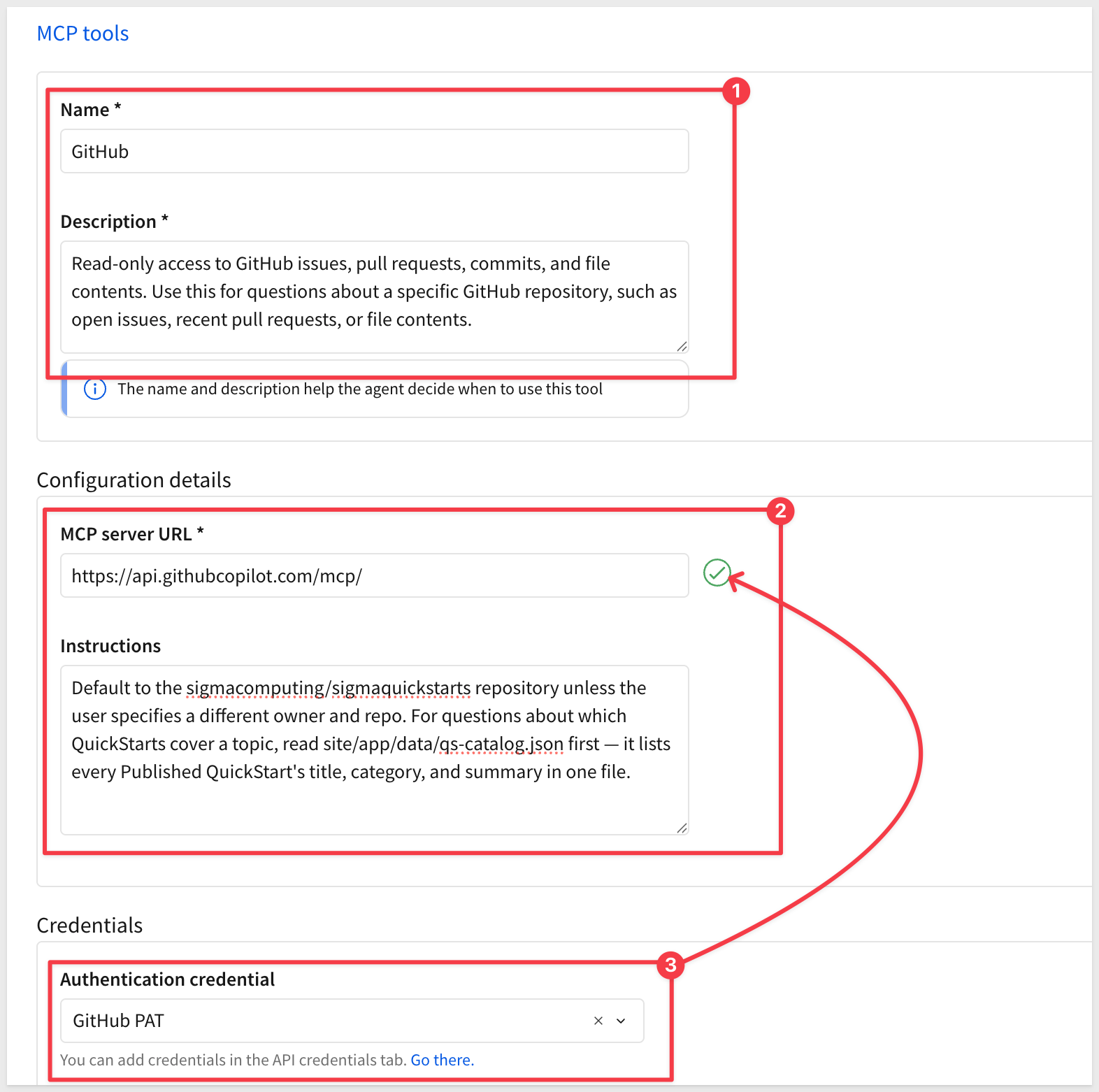
2. Under Name:
GitHub
3. Under Description, enter something specific — the name and description are what the agent uses to decide when this tool is relevant. For example:
Read-only access to GitHub issues, pull requests, commits, and file contents. Use this for questions about a specific GitHub repository, such as open issues, recent pull requests, or file contents.
4. Under MCP server URL, enter:
https://api.githubcopilot.com/mcp/
5. (Optional) Under Instructions, add any additional guidance for the agent, such as:
Default to the sigmacomputing/sigmaquickstarts repository unless the user specifies a different owner and repo. For questions about which QuickStarts cover a topic, read site/app/data/qs-catalog.json first — it lists every Published QuickStart's title, category, and summary in one file.
6. Under Credentials > Authentication credential, select the GitHub PAT credential you created above:
7. Click Save.
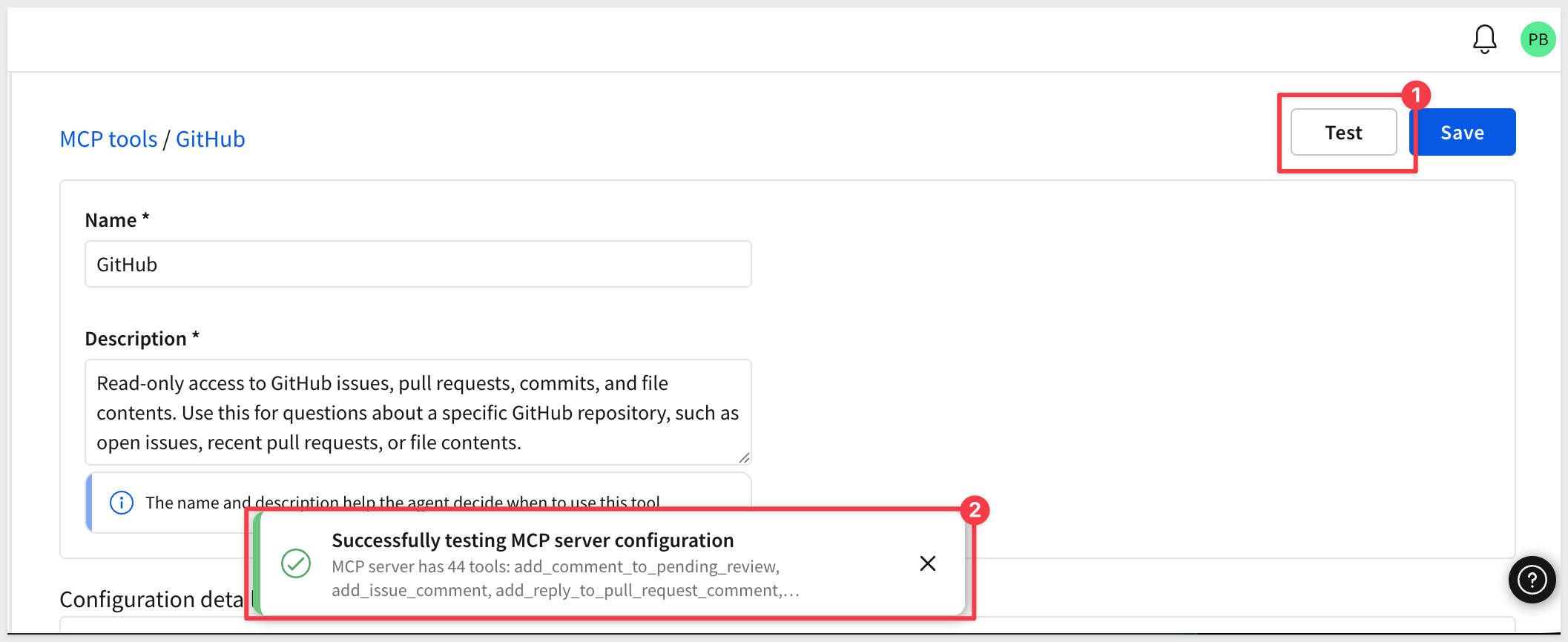
8. Reopen the new MCP tool and click Test to confirm Sigma can reach the server and authenticate successfully:
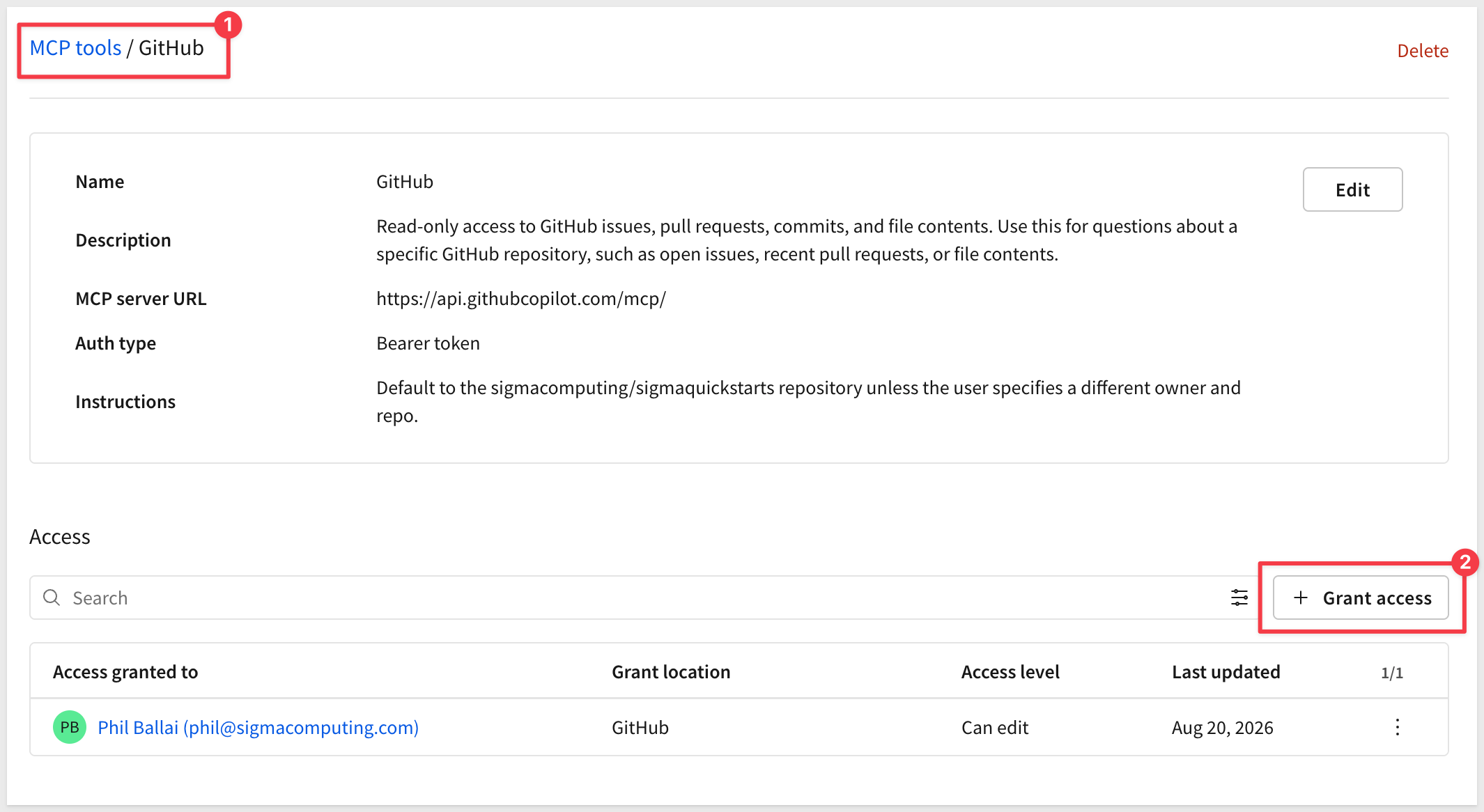
9. Optionally, grant Can use access to the users or teams who should have this tool available:
Adding an MCP tool to Sigma doesn't automatically put it in front of any agent — you attach it explicitly, the same way you'd add a warehouse agent or an action.
1. Create a new workbook, add a Chat element and open the new agent option:
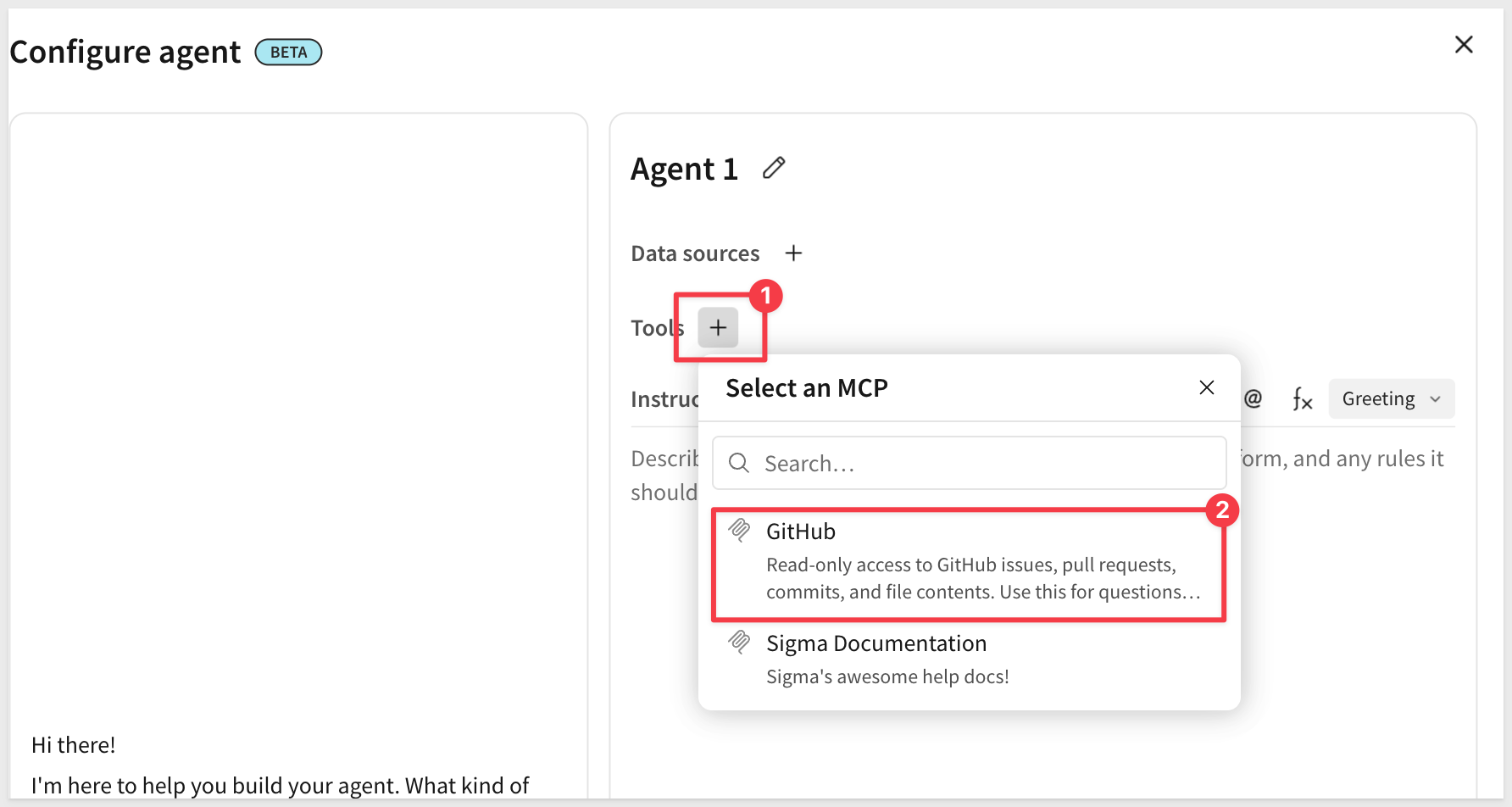
2. In the agent's configuration, add a tool and select the GitHub MCP tool you created:
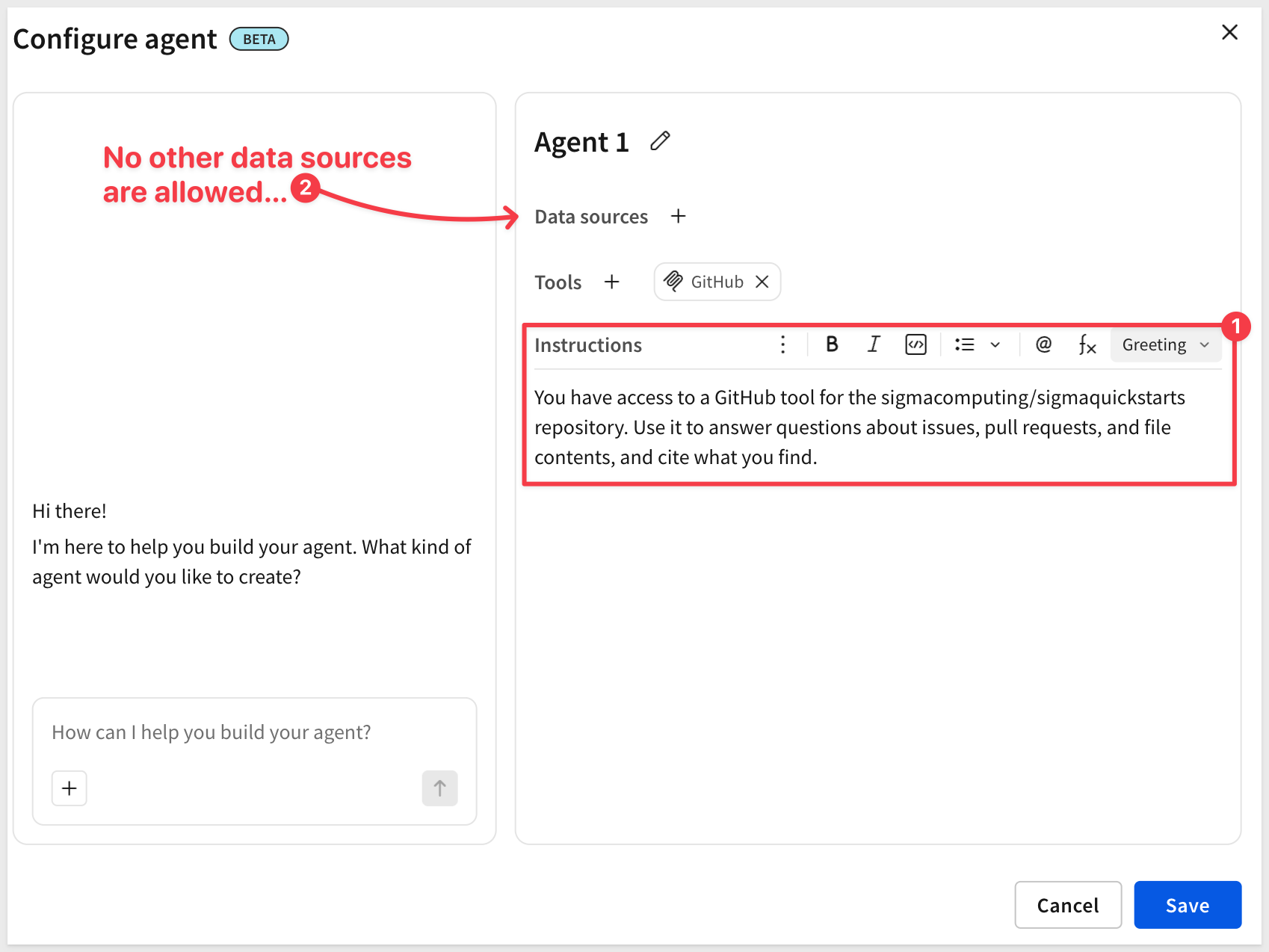
3. Update the agent's instructions so it knows this capability exists, for example:
You have access to a GitHub tool for the sigmacomputing/sigmaquickstarts repository. Use it to answer questions about issues, pull requests, and file contents, and cite what you find.
4. Save the agent.
5. Save the workbook as:
MCP GitHub QuickStart
With the tool attached, the chat element connected to this agent can now answer questions that reach outside of Sigma entirely:
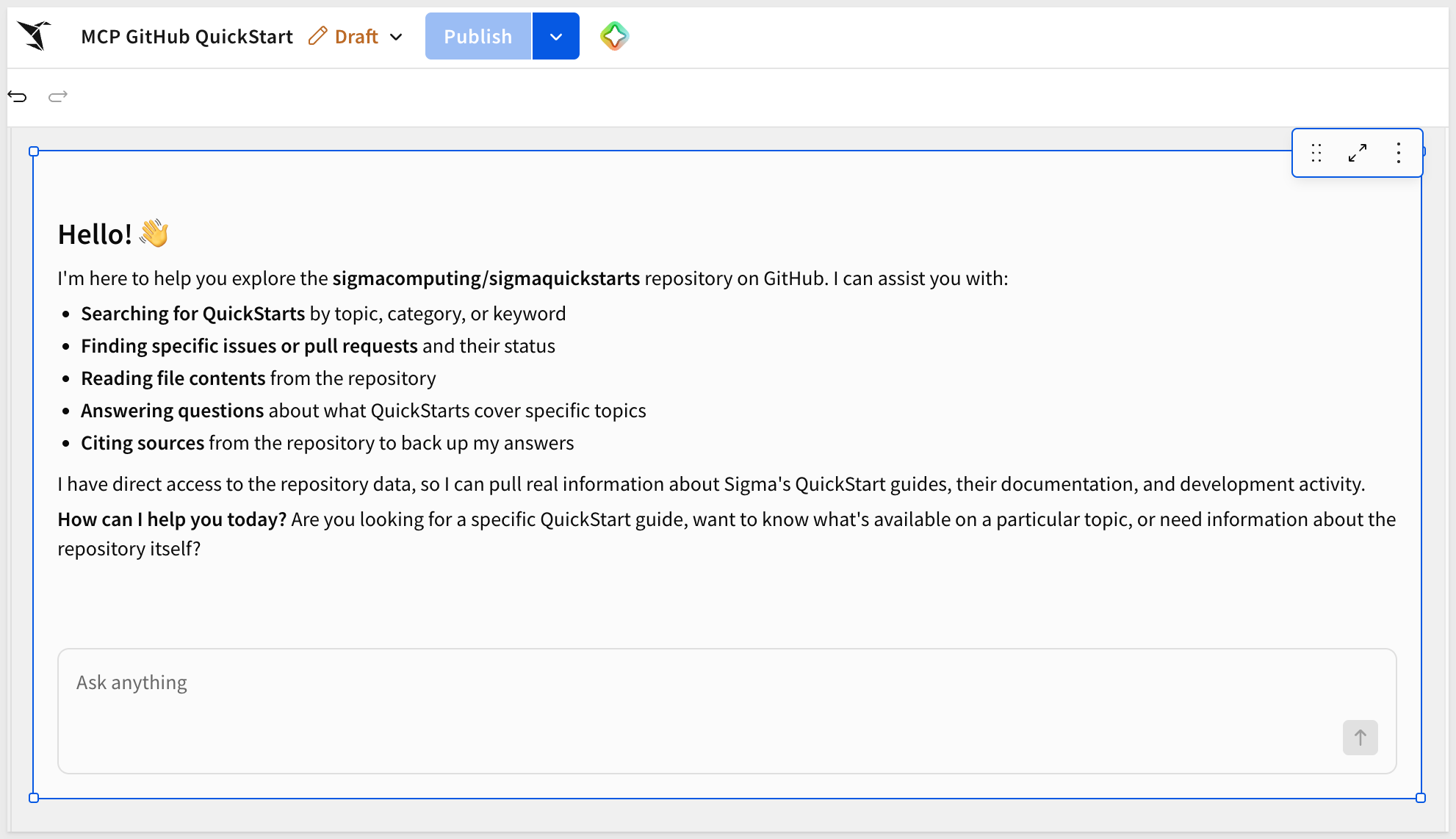
Try a prompt like:
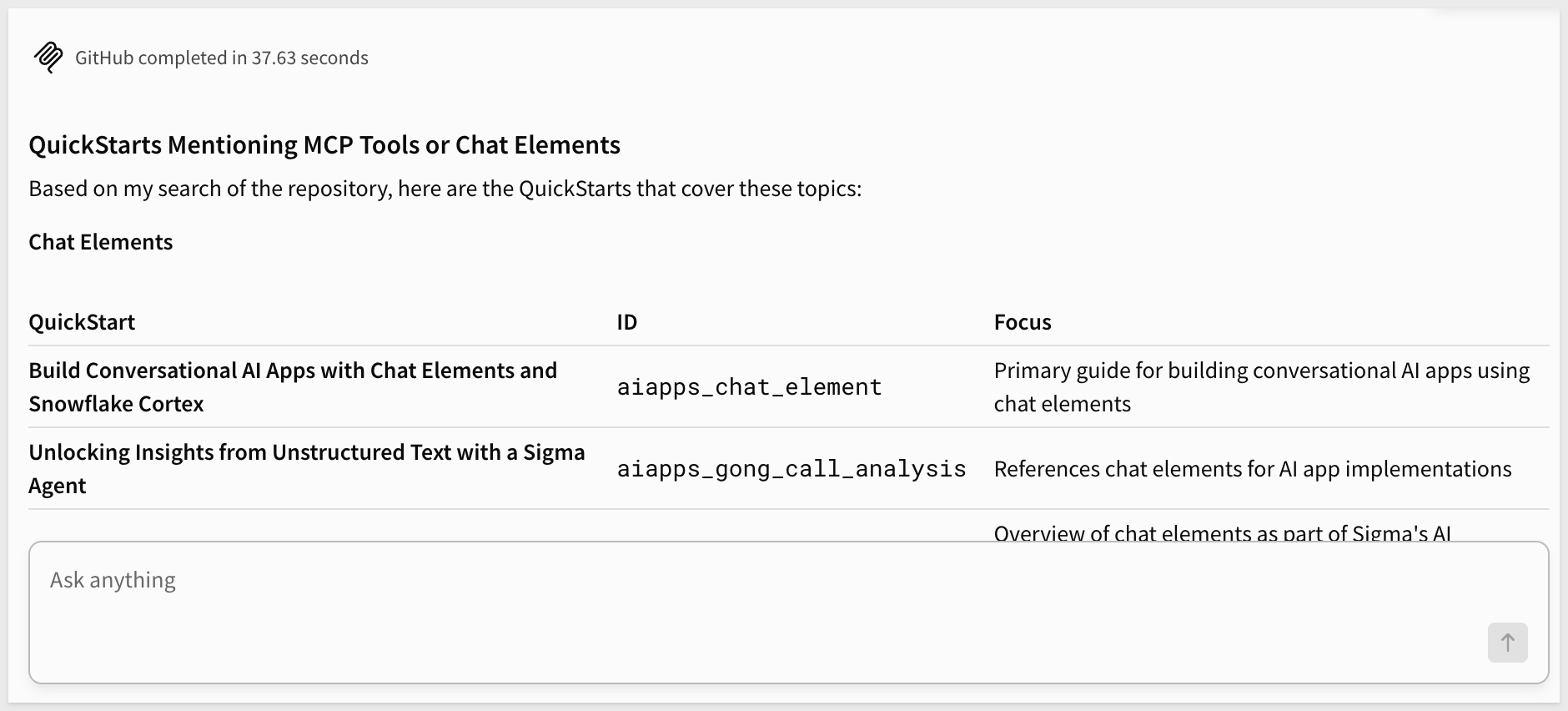
Which QuickStarts in this repo mention MCP tools or chat elements?
The agent calls the GitHub MCP tool behind the scenes, retrieves live results, and responds in the chat element — no polling, no manual export, no custom integration code.
The agent doesn't need to search every QuickStart's full text — the Instructions you added when creating the MCP tool point it straight to site/app/data/qs-catalog.json, a single file listing every Published QuickStart's title, category, and summary. That's why the summary written for each QuickStart matters: a good one-line description means the agent finds the right answer in one read, instead of opening dozens of files to piece it together.
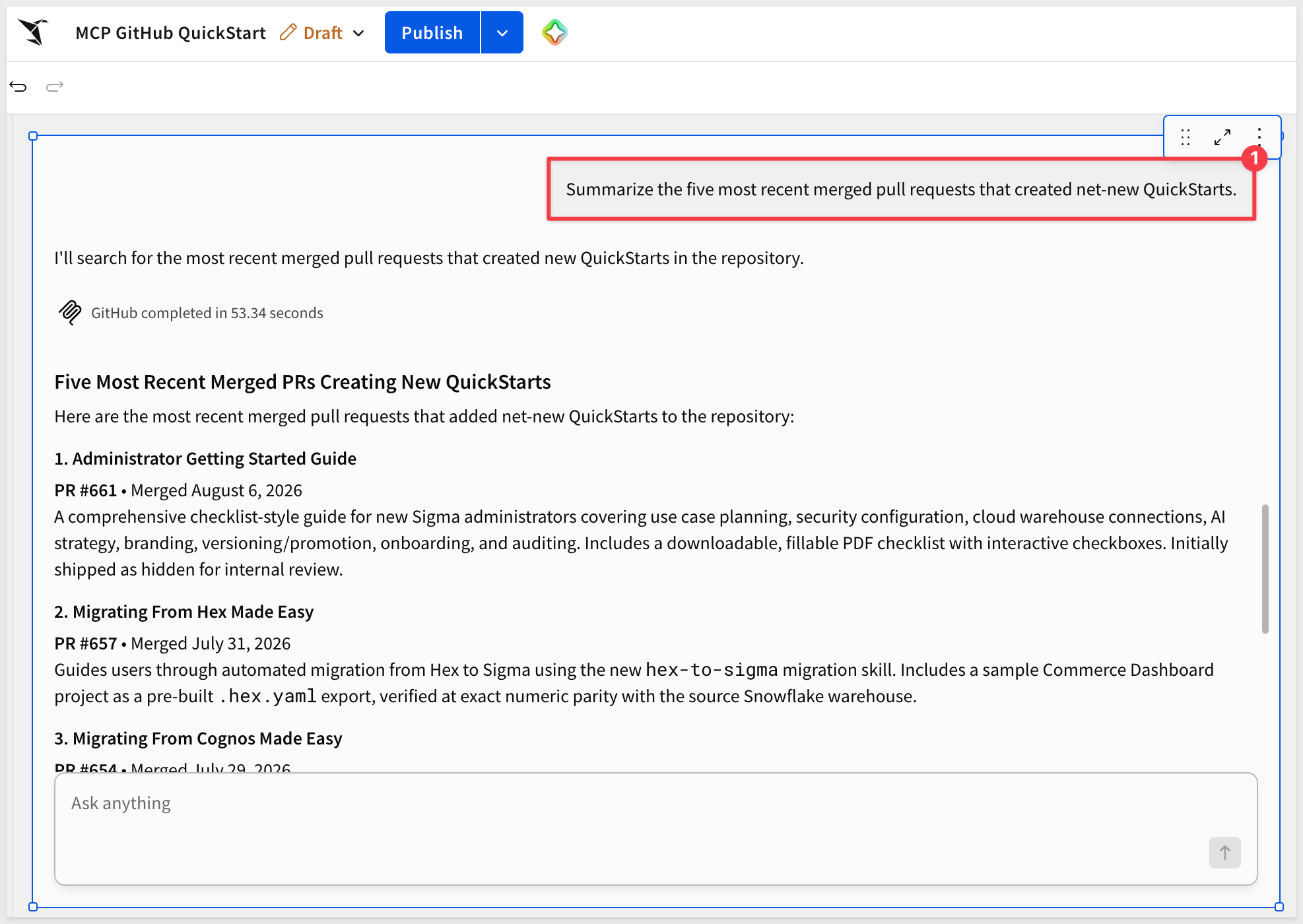
The GitHub tool isn't limited to that one lookup — you can also ask about repository activity more broadly, such as:
Summarize the five most recent merged pull requests that created net-new QuickStarts.
We connected a hosted, read-only GitHub MCP server to a Sigma agent as an MCP tool, then used a chat element to ask natural-language questions about a live public repository — without writing a custom connector.
The pattern generalizes well beyond GitHub. Any MCP-compliant service can be added to a Sigma agent with the same three pieces: a server URL, a tested credential, and a description precise enough for the agent to know when to reach for it. That's what makes MCP tools useful for real operational work — an agent that already understands your data can also check a ticket status, look up a CRM record, or query an internal API, all while access stays scoped through Sigma's admin controls rather than scattered across ad hoc integrations.
Additional Resource Links
Blog
Community
Help Center
QuickStarts
Be sure to check out all the latest developments at Sigma's First Friday Feature page!